01開發板指南
Arduino Mega 2560 R3 開發板指南與接腳圖
選擇開發板,檢視規格、接腳功能和元件說明。
開通 Robotics Lab Pro 後即可閱讀這款開發板的指南。
 Robotics Lab
 Pro
解鎖全部 7 款開發板
Pro 已開通
全部 8 款開發板均已解鎖
Explore the Arduino Mega 2560 R3 in 3D, review its specifications and pinout (ATmega2560 · 5 V), and practice assembly in the browser.
開通 Robotics Lab Pro,解鎖其餘 7 款開發板
Explore Arduino Nano, ESP32, Raspberry Pi and more in 3D, with board guides and hands-on practice. Uno R3 is free.
歡迎加入 Robotics Lab Pro!
現在可以探索全部 8 款開發板。選擇下方任意一款開始動手練習。
Robotics Lab Pro
解鎖這款及另外 6 款開發板
當一個人從皮恩中跑出來時
01開發板指南
選擇開發板,檢視規格、接腳功能和元件說明。
開通 Robotics Lab Pro 後即可閱讀這款開發板的指南。
02測驗與組裝
在 3D 模型上辨認元件,練習把元件擺到電路板上並焊接。8 款開發板均提供這兩種練習。
測驗 · 約 1 分鐘
Robotics Lab命名你在模型上找到的一部分 旋轉板,衝動並滑動它,就像真正的東西一樣。
閱讀這個問題。 “找到了微控制器 - 板的大腦。
點選部分。 不要確定? 拿起一個提示,或者跳過,看看答案。
看你的分數 只有第一步答案,沒有指示數。
組裝 · 幾分鐘
開啟Robotics Lab組裝套件,將板分開到元件組合中,將每個晶片、聯結器和頭部放回它所屬的地方,並將其貼上到底部。
從托盤中選取元件。 晶片、聯結器、頭條、按鈕。
將元件放到對應的焊盤上。 裸板上的焊盤標出了安裝位置。
焊接元件。 完成最後一個焊點,開發板就組裝好了。
03規格比較
對比處理器、記憶體、接腳和邏輯準位,為專案挑選合適的開發板。點選表格中的板卡名稱即可檢視詳情。
| 開發板 | MCU | 主頻 | 快閃記憶體 | RAM | GPIO | 類比輸入 | 無線接線 | 邏輯準位 | 價格 |
|---|---|---|---|---|---|---|---|---|---|
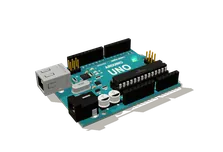 Arduino Uno R3ArduinoSelected board | 阿特米加328P | 16 MHz | 32 KB | 2 KB | 14 + 6 | 6×10位元 | — | 5 V | ≈ $25 |
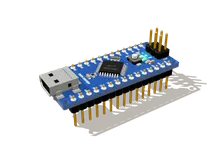 Arduino NanoArduinoSelected board | 阿特米加328P | 16 MHz | 32 KB | 2 KB | 22 | 8 | — | 5 V | ≈ $4–25 |
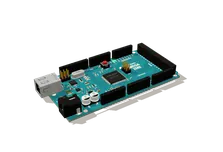 Arduino Mega 2560 R3ArduinoSelected board | 阿特米加2560 | 16 MHz | 256 KB | 8 KB | 54 | 16 | — | 5 V | ≈ $45 |
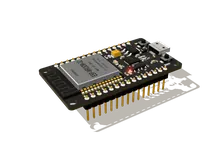 ESP32 DevKit V1DOIT · Espressif chipSelected board | ESP32 (2 × LX6 cores) | 240 MHz | 4 MB | 520 KB | 25 | 15(12位) + 2 DAC | 連線 Wi-Fi + Bluetooth | 3.3 V | ≈ $5 |
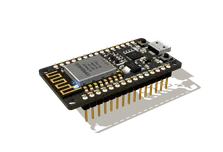 NodeMCU (ESP8266)NodeMCU / AmicaSelected board | ESP8266EX | 80 MHz | 4 MB | ≈80 KB | 11 | 1 | 威菲 | 3.3 V | ≈ $3 |
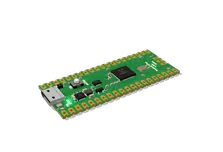 Raspberry Pi PicoRaspberry PiSelected board | RP2040 | 133 MHz | 2 MB | 264 KB | 26 | 3(12位) | — | 3.3 V | ≈ $4 |
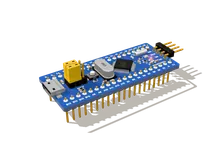 STM32 Blue PillGeneric (STM32F103C8T6 board)Selected board | STM32F103C8T6 | 72 MHz | 64 KB | 20 KB | 32 | 10(12位) | — | 3.3 V | ≈ $2–3 |
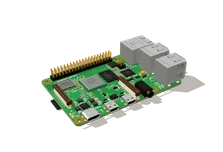 Raspberry Pi 4 Model BRaspberry PiSelected board | BCM2711, 4 × Cortex-A72 | 1.5 GHz | microSD | 1–8 GB | 26 | 沒有一個 | 連線 Wi-Fi 5 + BT 5.0 | 3.3 V | ≈ $35–75 |
表中價格為常見零售價,實際價格以賣家為準。「邏輯準位」指 I/O 接腳的訊號電壓。切勿向 3.3 V 開發板的 I/O 接腳輸入 5 V 訊號。
Rotate eight 3D circuit boards, inspect their pins and components, and practice assembling and soldering a board.
實驗室提供以下 8 款開發板。
Arduino Uno R3 and its exercises are free to use without an account or physical hardware. The 3D viewer needs JavaScript and WebGL 2. Robotics Lab Pro unlocks the other seven boards.
未使用提示且首次答對時得 1 分。重試或看提示後答對仍可完成本題。最高分儲存在當前瀏覽器中。
Before wiring a physical board, check the manufacturer’s documentation for its pinout, voltage limits and power requirements.