01开发板指南
Arduino Mega 2560 R3 开发板指南与引脚图
选择开发板,查看规格、引脚功能和元件说明。
开通 Robotics Lab Pro 后即可阅读这款开发板的指南。
 Robotics Lab
 Pro
解锁全部 7 款开发板
Pro 已开通
全部 8 块开发板均已解锁
Explore the Arduino Mega 2560 R3 in 3D, review its specifications and pinout (ATmega2560 · 5 V), and practice assembly in the browser.
开通 Robotics Lab Pro,解锁其余 7 款开发板
Explore Arduino Nano, ESP32, Raspberry Pi and more in 3D, with board guides and hands-on practice. Uno R3 is free.
欢迎加入 Robotics Lab Pro!
现在可以探索全部 8 块开发板。选择下方任意一块开始动手练习。
Robotics Lab Pro
解锁这款及另外 6 款开发板
当一个人从皮恩中跑出来时
01开发板指南
选择开发板,查看规格、引脚功能和元件说明。
开通 Robotics Lab Pro 后即可阅读这款开发板的指南。
02测验与组装
在 3D 模型上辨认元件,练习把元件摆到电路板上并焊接。8 款开发板均提供这两种练习。
测验 · 约 1 分钟
Robotics Lab命名你在模型上找到的一部分 旋转板,冲动并滑动它,就像真正的东西一样。
阅读这个问题。 “找到了微控制器 - 板的大脑。
点击部分。 不要确定? 拿起一个提示,或者跳过,看看答案。
看你的分数 只有第一步答案,没有指示数。
组装 · 几分钟
打开Robotics Lab组装套件,将板分开到组件组合中,将每个芯片、连接器和头部放回它所属的地方,并将其粘贴到底部。
从托盘中选取元件。 芯片、连接器、头条、按钮。
将元件放到对应的焊盘上。 裸板上的焊盘标出了安装位置。
焊接元件。 完成最后一个焊点,开发板就组装好了。
03规格对比
对比处理器、内存、引脚和逻辑电平,为项目挑选合适的开发板。点击表格中的板卡名称即可查看详情。
| 开发板 | MCU | 主频 | 闪存 | RAM | GPIO | 模拟输入 | 无线连接 | 逻辑电平 | 价格 |
|---|---|---|---|---|---|---|---|---|---|
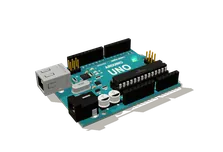 Arduino Uno R3ArduinoSelected board | 阿特米加328P | 16 MHz | 32 KB | 2 KB | 14 + 6 | 6×10比特 | — | 5 V | ≈ $25 |
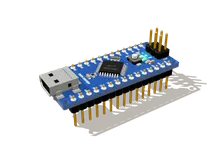 Arduino NanoArduinoSelected board | 阿特米加328P | 16 MHz | 32 KB | 2 KB | 22 | 8 | — | 5 V | ≈ $4–25 |
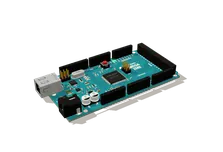 Arduino Mega 2560 R3ArduinoSelected board | 阿特米加2560 | 16 MHz | 256 KB | 8 KB | 54 | 16 | — | 5 V | ≈ $45 |
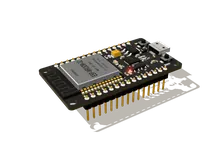 ESP32 DevKit V1DOIT · Espressif chipSelected board | ESP32 (2 × LX6 cores) | 240 MHz | 4 MB | 520 KB | 25 | 15(12位) + 2 DAC | 连接 Wi-Fi + Bluetooth | 3.3 V | ≈ $5 |
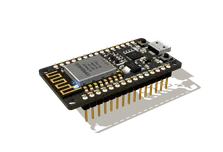 NodeMCU (ESP8266)NodeMCU / AmicaSelected board | ESP8266EX | 80 MHz | 4 MB | ≈80 KB | 11 | 1 | 威菲 | 3.3 V | ≈ $3 |
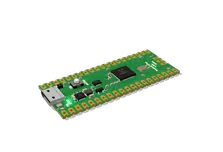 Raspberry Pi PicoRaspberry PiSelected board | RP2040 | 133 MHz | 2 MB | 264 KB | 26 | 3(12位) | — | 3.3 V | ≈ $4 |
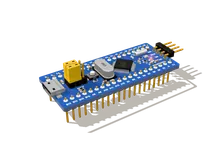 STM32 Blue PillGeneric (STM32F103C8T6 board)Selected board | STM32F103C8T6 | 72 MHz | 64 KB | 20 KB | 32 | 10(12位) | — | 3.3 V | ≈ $2–3 |
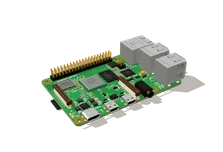 Raspberry Pi 4 Model BRaspberry PiSelected board | BCM2711, 4 × Cortex-A72 | 1.5 GHz | microSD | 1–8 GB | 26 | 没有一个 | 连接 Wi-Fi 5 + BT 5.0 | 3.3 V | ≈ $35–75 |
表中价格为常见零售价,实际价格以卖家为准。「逻辑电平」指 I/O 引脚的信号电压。切勿向 3.3 V 开发板的 I/O 引脚输入 5 V 信号。
Rotate eight 3D circuit boards, inspect their pins and components, and practice assembling and soldering a board.
实验室提供以下 8 款开发板。
Arduino Uno R3 and its exercises are free to use without an account or physical hardware. The 3D viewer needs JavaScript and WebGL 2. Robotics Lab Pro unlocks the other seven boards.
未使用提示且首次答对时得 1 分。重试或看提示后答对仍可完成本题。最高分保存在当前浏览器中。
Before wiring a physical board, check the manufacturer’s documentation for its pinout, voltage limits and power requirements.